



ONEXPLAYER 3 or X2 Mini Pro for Travel? Screen Size, Text Readability, and Bag Space
Two travel handhelds can share the same 8.8-inch diagonal and still create different packing decisions. ONEXPLAYER 3 and X2 Mini Pro both support detachable controllers, keyboard-based productivity, and 144Hz variable refresh displays. The real choice is not which screen is larger. It is how each device handles text, power, performance, and the accessories that must share the bag.
Choose ONEXPLAYER 3 for an efficient all-in-one travel routine with a built-in battery and a confirmed 16:10 1920 × 1200 workspace. Choose X2 Mini Pro when a removable battery, larger memory configurations, and a broader plugged-in performance path matter more than minimizing the power kit.
The Screens Are the Same Size
Both devices use an 8.8-inch display, so diagonal size does not settle the comparison. The existing ONEXPLAYER 3 and X2 Mini Pro comparison reaches the same conclusion: the important differences begin after the screen-size line on the specification sheet.
ONEXPLAYER 3 uses a native-landscape AMOLED panel with a confirmed 1920 × 1200 resolution, 16:10 aspect ratio, HDR, and 30–144Hz VRR. That combination gives documents useful vertical space and keeps game motion synchronized across a wide frame-rate range.
X2 Mini Pro also uses a native-landscape 8.8-inch OLED panel with 144Hz VRR and HDR. Official material emphasizes contrast and motion rather than a published resolution and brightness specification, so those unconfirmed values should not be used to manufacture a paper advantage.
| Travel decision | ONEXPLAYER 3 | X2 Mini Pro | Why it matters |
|---|---|---|---|
| Screen size | 8.8-inch AMOLED | 8.8-inch OLED | No diagonal-size advantage |
| Text workspace | Confirmed 1920 × 1200, 16:10 | Resolution not used here because the current official page does not confirm it | ONEXPLAYER 3 gives a known document layout |
| Battery format | 85Wh built in | 85Wh external and swappable | One-piece simplicity versus spare-pack flexibility |
| Memory options | 24GB or 32GB | 48GB or 64GB | Larger local workloads favor X2 Mini Pro configurations |
| Travel performance strategy | 8W–35W product range | Radeon 8060S with higher scaling and standard or liquid-cooled editions | Efficient unplugged use versus broader desk-performance path |
Text Readability Depends on Layout
OLED and AMOLED contrast help dark interfaces, video, and games on both devices. For work, text readability depends more on scaling, application layout, and viewing distance than on the panel label. An 8.8-inch display can render sharp text while still showing less information than a 13-inch laptop.
ONEXPLAYER 3's confirmed 16:10 workspace is useful for documents, email, and web applications because it preserves additional vertical content. The magnetic keyboard supports focused edits, but the compact keys and trackpad area still favor short sessions over all-day writing.
X2 Mini Pro supports a magnetic keyboard and detached-controller tablet mode, giving it the same basic three-mode travel logic. Its 48GB and 64GB memory options are useful when the portable workload includes large creative files, local AI models, or many memory-heavy applications. More memory does not make text larger, but it can keep complex work available without moving to a second computer.
For either device, Windows scaling should be set for comfortable reading rather than maximum information density. A single main application is usually clearer than four tiled windows. When a hotel or office monitor is available, USB4 lets either system move from an 8.8-inch travel screen to a full desktop layout.
Bag Space Is About the Whole Kit
The devices should not be compared by an unverified weight number. A more useful travel measure is the complete kit required for the planned day. Both can carry their controls, display, computer, stand, and keyboard in a compact format, but their battery and performance strategies change what else belongs in the bag.
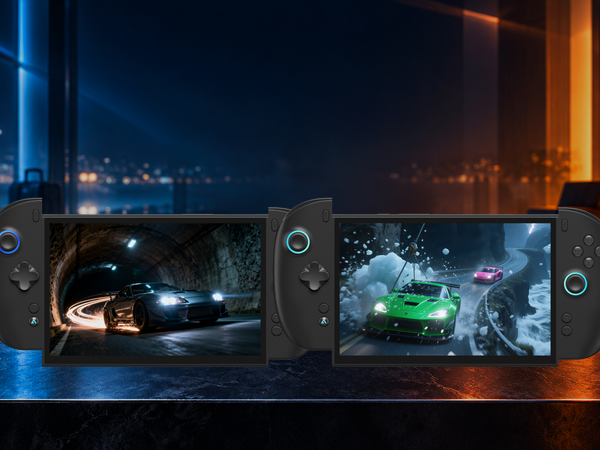
ONEXPLAYER 3 keeps its 85Wh battery inside the chassis. That simplifies packing because there is no separate pack to protect or charge. A practical kit can remain the device, keyboard cover, compact USB-C charger, cable, and small hub when presentations are likely.
X2 Mini Pro uses an external, removable 85Wh battery. A single-pack kit can stay simple, while a charged spare extends a long travel day without waiting for the installed battery to recharge. The tradeoff is another protected item in the bag and another pack to charge before departure.
The X2 Mini Pro portability guide explains why modularity matters beyond chassis size. Detachable controls, a keyboard, USB4, and a removable battery allow the user to carry only the parts needed for the next stage of the trip.
Power Strategy Separates the Two
ONEXPLAYER 3 is built around an official 8W to 35W range and a sealed 85Wh battery. That makes it straightforward to plan one continuous unplugged session, especially when a lower TDP, 60Hz refresh rate, and a frame cap are acceptable.
X2 Mini Pro's Radeon 8060S graphics scale strongly as power increases. It can use a balanced portable profile on battery, then move into a higher-performance desk role when power and cooling are available. Buyers who want the optional Frost Bay path must choose the liquid-cooled edition because the standard edition cannot be converted later.
For a short flight or train ride, either device can remain a compact handheld. For a full travel day, ONEXPLAYER 3 favors efficiency and a simpler one-piece battery routine. X2 Mini Pro favors energy expansion through a spare pack and a higher sustained-performance path when the trip ends at a powered desk.
Choose by the Hardest Part of the Trip
ONEXPLAYER 3 is the better fit when the hardest travel problem is maintaining one compact Windows setup for documents, calls, and efficient gaming. Its known 16:10 display geometry, built-in battery, and lower product power range make the daily routine easy to understand.
X2 Mini Pro is the better fit when the hardest problem is extending play or carrying demanding work between locations. The removable battery can add another energy window, while 48GB or 64GB of unified memory and Radeon 8060S graphics support workloads that would otherwise require a larger computer.
Neither choice eliminates accessories. A protective case and charger are essential. The keyboard belongs in the bag when work is real rather than hypothetical. A hub belongs there only when the itinerary includes a monitor, Ethernet, presentation display, or conventional peripherals.
Conclusion
Screen size does not decide between ONEXPLAYER 3 and X2 Mini Pro because both use an 8.8-inch panel. Text readability instead comes down to confirmed resolution, scaling, application layout, and whether an external display is available. Bag space comes down to the full kit, especially the battery and cooling plan.
ONEXPLAYER 3 suits travelers who want a known 16:10 work surface, an internal battery, and an efficient all-in-one routine. X2 Mini Pro suits travelers who value a removable battery, higher memory configurations, and a broader performance path at the destination. Compare current configurations on the ONEXPLAYER 3 product page and the X2 Mini Pro product page.
FAQ
How long can ONEXPLAYER 3 and X2 Mini Pro run on a full charge?
Both use 85Wh batteries, but runtime varies with TDP, game load, brightness, refresh rate, wireless activity, and background software. ONEXPLAYER 3 uses a built-in pack, while X2 Mini Pro can use a separately charged spare battery for a longer travel day.
Can both devices play large AAA games?
Yes. ONEXPLAYER 3 uses Intel Arc B390 graphics and supported XeSS features, while X2 Mini Pro uses Radeon 8060S graphics with 40 compute units. The appropriate settings depend on the game, resolution, TDP, and frame-rate target.
Do both devices support external monitors or eGPU docks?
Yes. Both use USB4 for compatible monitors, hubs, and external graphics docks such as ONEXGPU. Neither should be described as having a native OCuLink port.
Is ONEXPLAYER hardware reliable for travel?
ONEXPLAYER uses a managed production and quality-control process. Travelers should still use a protective case, protect removable battery contacts, and test chargers, cables, hubs, and displays before departure.


