



Best powerful yet cooling-focused portable Windows gaming device for playing in bed or on the couch
There is a specific kind of frustration that only hits at 11 PM on a Tuesday. You are curled up on the couch, controller in hand, finally getting time to play through your backlog, and your handheld starts blowing hot air onto your palms. The fan whines. The chassis gets warm where you grip it. Ten minutes later, you are shifting positions, trying to find a angle where the exhaust is not aimed at your blanket. Eventually, you put the device down — not because you are done playing, but because holding it has become uncomfortable.
This is the reality for a lot of portable Windows gaming device owners. Manufacturers pack powerful APUs into compact bodies, and while the benchmark numbers look great on a product page, the actual experience of holding that device for an hour in bed is a different story. Heat builds up where your hands are. Fans spin louder as the session goes on. The device gets heavier the longer you hold it overhead.
If you are shopping for a handheld specifically for lounging — bed, couch, recliner, wherever you like to sink in and play — you need to think about three things together: cooling performance, noise level, and physical comfort. Raw horsepower alone does not make a great bedtime gaming companion. This guide walks through what matters for that specific scenario and which OneXPlayer devices are worth considering.
Why gaming in bed and on the couch is a different thermal challenge
When you play at a desk, the handheld rests on a stand or dock. Air circulates freely around it. The exhaust blows away from you. If the fan gets loud, your speakers or headphones cover it.
Lounging changes all of that.
Your hands trap heat. When you grip a handheld, your palms cover the sides and back — exactly where heat tends to accumulate. The device cannot dissipate heat as effectively when your hands are blocking airflow paths. This is why a device that runs cool on a desk can feel warm in your hands after 20 minutes on the couch.
Soft surfaces block vents. Blankets, couch cushions, and pillows are terrible for airflow. If you rest the handheld on your lap or a cushion, the intake vents can get partially blocked, forcing the fan to work harder and louder. A well-designed cooling system with generous fin area and efficient heat pipes can compensate for this better than a minimal setup.
Your ears are close. At a desk, you might be two or three feet from the device. In bed, the handheld is often 12 to 18 inches from your face. Fan noise that is tolerable at desk distance becomes intrusive at couch distance, especially during quiet moments in a game or when you are playing late at night and trying not to wake anyone.
Weight compounds over time. A 700-gram device feels fine for 15 minutes. After an hour of holding it overhead or at an angle from a reclined position, your wrists and forearms start to notice. This is where the trade-off between screen size and weight becomes real. A bigger screen is more immersive, but a heavier device is harder to hold comfortably for extended lounging sessions.
What to look for in a handheld for bed and couch gaming
Cooling that does not rely on fan speed alone
The best handhelds for lounging are the ones that move heat away from the APU efficiently before the fan needs to ramp up. Look for large heat dissipation fin arrays, multiple copper heat pipes, and quality thermal interface materials. Devices that use Honeywell phase-change compounds or graphene thermal pads manage heat at the component level, meaning the fan does not have to spin as fast or as loud.
Low decibel output under load
Pay attention to the maximum noise rating. Anything below 40 dBA is roughly the sound level of a quiet library — unobtrusive even at close range. Devices that hit 45 dBA or higher under load will be noticeable during quiet game moments or late-night sessions.
Weight and grip ergonomics
For overhead or reclined play, lighter is better. But weight is only part of the equation. Grip design matters: contoured handles, balanced weight distribution, and button placement that does not require you to stretch your thumbs all affect how long you can hold a device comfortably. A 7-inch handheld with good ergonomics may feel better over an hour than a lighter device with flat, uncomfortable grips.
Screen size vs. holding distance
In bed, your face is closer to the screen than at a desk. A 7-inch panel can feel plenty immersive when it is 14 inches from your eyes. A 10.95-inch screen gives you more visual real estate but requires two hands to hold steadily and can be awkward at reclined angles. Think about how you actually position yourself when you play.
OneXPlayer devices for bed and couch gaming [Main]
ONEXPLAYER APEX: Flagship cooling in an 8-inch body
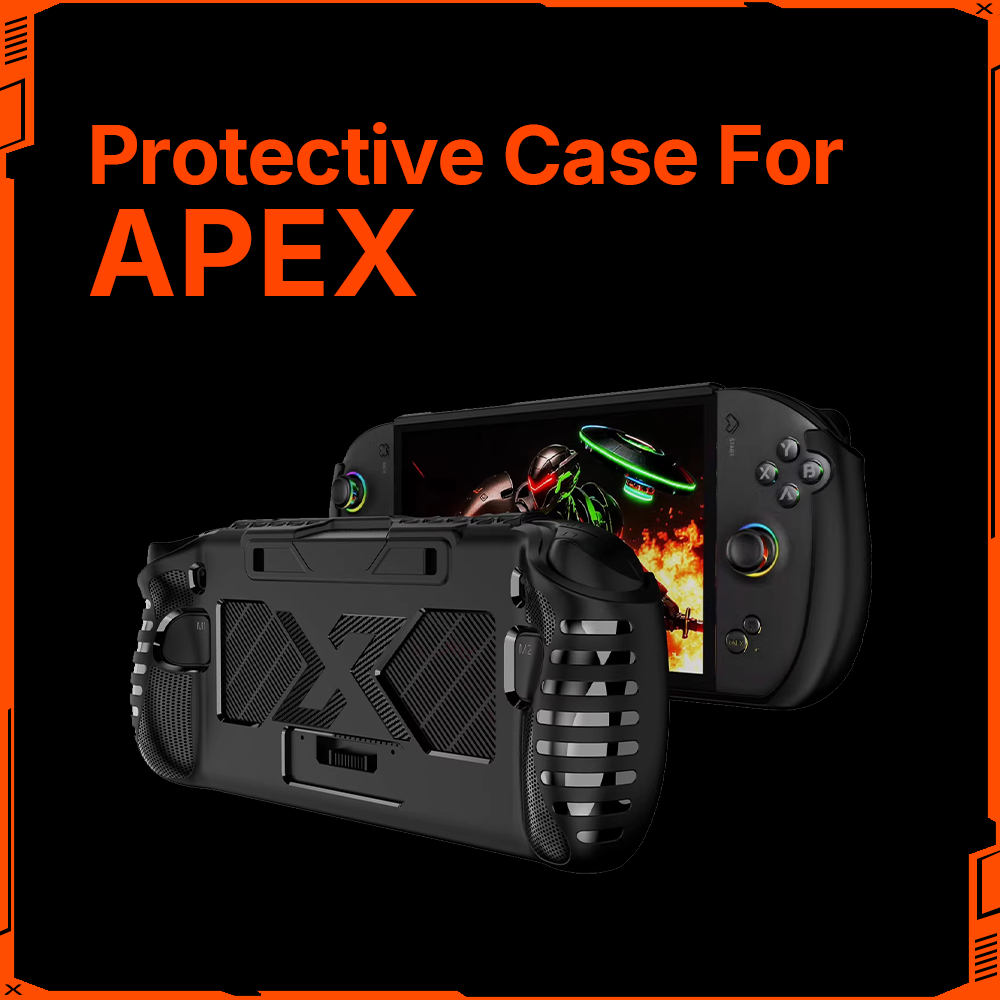
The APEX is OneXPlayer's flagship 8-inch handheld, powered by the AMD Ryzen AI Max+ 395 with Radeon 8060S graphics. It is built around a serious thermal architecture designed to sustain 80W TDP performance without choking.
Cooling system:
-
47,200 mm² total heat dissipation fin area — one of the largest fin arrays in any handheld
-
4 high-performance pure copper heat pipes
-
Dual fan design for balanced airflow
-
Detachable battery with 85Wh capacity
The APEX moves heat aggressively. The 47,200 mm² fin array means the fans do not need to spin at maximum RPM to keep temperatures in check during sustained AAA sessions. In practice, this translates to a device that can run demanding titles for an hour or more on the couch without the chassis becoming uncomfortably warm where you grip it.
Frost Bay option: The APEX is compatible with the Frost Bay external liquid cooling module ($199). When connected, the liquid loop handles primary heat dissipation and the internal fans drop to minimal RPM. This is most practical for desk use, but if you have a nightstand setup where you can plug in while playing in bed, it gives you near-silent operation at full performance.
The trade-off: The APEX is a flagship device, and its robust cooling and 85Wh battery mean it is not the lightest handheld in the lineup. For extended overhead play, you may find yourself propping it on a pillow or resting your arms. The 8-inch screen is a good middle ground — large enough for immersive gameplay, not so large that it becomes unwieldy.
Who the APEX is for: Players who want top-tier cooling performance for demanding AAA titles during long lounging sessions and do not mind a bit of extra weight. If you play graphics-intensive games for an hour or more at a stretch and want a device that stays thermally managed throughout, the APEX delivers. Pair it with the Frost Bay if you have a plug-in spot near your couch or bed for near-silent operation.
OneXPlayer X1 Pro: The quiet one with a big screen

The X1 Pro is a 10.95-inch 3-in-1 device powered by the AMD Ryzen AI 9 HX 470. Its thermal design is engineered around efficiency, making it one of the quietest handhelds in the lineup.
Cooling system:
-
Hydraulic bearing fan: up to 5.9 CFM airflow at 4,300 RPM, max noise of just 39.4 dBA
-
15,400 mm² aluminum heat sink
-
Honeywell thermal compound with 8.5 W/m·K conductivity on the CPU
-
Graphene thermal pads rated up to 3,000 W/m·K for memory and SSD cooling
-
IC cooling copper plate (400 W/m·K) for critical inductors
-
Dual-channel cooling duct with 90% channel separation
The 39.4 dBA figure is the headline number here. For context, a quiet library sits around 40 dBA. The X1 Pro at full load is barely louder than that, which means during actual gameplay on the couch, game audio easily covers any fan noise. If you are playing late at night with the volume low or using subtitles, the fan stays in the background rather than competing for your attention.
The graphene thermal pads on memory and SSD are a detail worth noting. During long lounging sessions, heat does not just come from the APU — memory and storage components heat up too, and that heat builds inside the chassis. The X1 Pro addresses this proactively, which helps keep the overall surface temperature manageable even when the device is resting on a cushion or blanket.
The trade-off: The 10.95-inch screen is fantastic for immersion — you see more of the game world without squinting — but it makes the X1 Pro a larger device to hold. For reclined or overhead play, you will likely want to prop it against your knees or use a stand. The 65.02Wh battery is smaller than the APEX's 85Wh, which is worth considering for very long unplugged sessions.
Who the X1 Pro is for: Players who value quiet operation above all for late-night couch sessions and want a large, immersive screen. If your priority is "I do not want to hear the fan while my partner is sleeping" and you are okay with a bigger footprint, the X1 Pro is the pick. Also great for players who use their handheld for media and productivity, not just gaming.
ONEXFLY F1 Pro: Lightweight OLED comfort

The F1 Pro is a 7-inch OLED handheld powered by the AMD Ryzen AI 9 HX 370. It is the most compact and lightweight option in this guide, designed for players who prioritize portability and grip comfort.
Cooling system:
-
Liquid bearing fan reaching 4,700 RPM
-
14,952 mm² pure aluminum radiator fin area
-
3 pure copper heat pipes for fast heat conduction
-
144Hz OLED panel
The F1 Pro proves that a smaller chassis does not mean compromised thermal design. The 14,952 mm² fin array is substantial for a 7-inch device, and the liquid bearing fan runs quieter and lasts longer than standard sleeve bearings. The three copper heat pipes pull heat away from the APU efficiently, meaning the fan does not need to sustain maximum RPM during typical gameplay.
For bed and couch gaming, the F1 Pro has a distinct advantage: its 7-inch footprint and lighter weight make it the easiest device in this guide to hold overhead or at awkward lounging angles for extended periods. The OLED panel delivers deep blacks and vibrant colors, which is particularly enjoyable in a dim bedroom or living room environment — OLED looks its best in low light.
The trade-off: The smaller chassis means less overall thermal headroom than the APEX or X1 Pro. During very demanding AAA sessions at maximum settings, the fan will need to work harder than it would in a larger device. The F1 Pro is better suited for players who game at moderate settings or play a mix of AAA and indie titles rather than pushing the hardware to its limit for hours on end.
Who the F1 Pro is for: Players who want a lightweight, comfortable handheld for casual to mid-intensity gaming sessions in bed or on the couch. If you play for 30 to 60 minutes at a time, value OLED visual quality, and want a device that does not fatigue your wrists, the F1 Pro is the natural choice. At $999, it is also the most accessible entry point in the lineup.
Balancing portability and performance: How to decide
Every handheld is a compromise between power, cooling, noise, and weight. The question is which trade-offs work for your specific lounging habits.
Ask yourself how long your typical session is. If you play in 30-to-45-minute bursts before falling asleep, the F1 Pro's lightweight comfort and OLED screen are ideal. If you sink into two or three hours of AAA gameplay on a Saturday afternoon on the couch, the APEX's robust cooling keeps the device thermally stable for the long haul.
Think about where the fan exhaust goes. In a reclined position, exhaust vents on the top of the device may blow toward your face or chest. Devices with dual-channel airflow and larger fin arrays tend to direct heat more efficiently, reducing how much warm air hits your hands.
Consider whether you have a power outlet nearby. If you play plugged in next to a couch or bed, you can run at higher TDP without worrying about battery life — and you can use accessories like the Frost Bay with the APEX for near-silent liquid cooling. If you play unplugged, battery capacity and efficient cooling both matter more.
Quick comparison: Which device fits your lounging style?
|
Device |
Screen |
Cooling Strength |
Noise Level |
Weight Profile |
Best For |
|
APEX |
8" 120Hz |
47,200 mm² fins, 4 copper pipes, dual fans |
Moderate (quiet with Frost Bay) |
Heavier flagship |
Long AAA sessions, plug-in setups |
|
X1 Pro |
10.95" |
15,400 mm² + Honeywell + graphene |
39.4 dBA (very quiet) |
Larger footprint |
Late-night quiet play, big-screen immersion |
|
F1 Pro |
7" 144Hz OLED |
14,952 mm² fins, 3 copper pipes |
Low (liquid bearing fan) |
Lightweight, compact |
Shorter sessions, overhead play, OLED lovers |
Frequently asked questions
Q: Which OneXPlayer handheld is quietest for playing in bed at night?
A: The X1 Pro is the quietest option, with a maximum noise level of 39.4 dBA from its hydraulic bearing fan. Combined with Honeywell thermal compound and graphene thermal pads, it maintains low noise even during extended sessions. If you need near-silent operation, the APEX with the Frost Bay liquid cooling module can run at full performance with minimal fan noise, but that requires a plug-in setup.
Q: Is the APEX too heavy to hold while lying in bed?
A: The APEX is a flagship device with robust cooling and an 85Wh battery, so it carries more weight than compact options like the F1 Pro. For overhead play, many users prop it on a pillow or rest their arms. If lightweight overhead holding is your priority, the F1 Pro's 7-inch chassis is easier to manage for extended periods.
Q: Can I play demanding AAA games on the F1 Pro while lounging, or will it overheat?
A: The F1 Pro has a capable cooling system — 14,952 mm² of aluminum fins, 3 copper heat pipes, and a liquid bearing fan — that handles AAA gaming well. However, its smaller chassis has less thermal headroom than larger devices like the APEX. For very demanding titles at maximum settings over long sessions, you may notice the fan working harder. Adjusting graphics settings or playing in shorter sessions helps.
Q: Does the Frost Bay liquid cooling work for couch gaming?
A: The Frost Bay is an external liquid cooling module that connects to the APEX (and Super X). It requires a power connection, so it works well if you have an outlet near your couch or bed. When connected, it handles primary heat dissipation and the internal fans drop to minimal RPM, giving you near-silent operation at full performance. It is not a portable solution for unplugged play.
Q: Should I prioritize screen size or weight for couch gaming?
A: It depends on how you position yourself. If you sit upright on the couch with the device propped on your knees, a larger screen like the X1 Pro's 10.95-inch panel is immersive and comfortable. If you recline or lie down and hold the device overhead, a smaller, lighter device like the F1 Pro is easier on your wrists over time. The APEX's 8-inch screen is a middle ground that balances immersion and manageability.
The bottom line
The right handheld for bed and couch gaming is the one that stays cool enough to hold, quiet enough to enjoy, and light enough to keep playing without thinking about the device itself. OneXPlayer's lineup gives you three distinct paths to that goal.
If you want the most robust cooling for long, demanding sessions and do not mind a bit of weight, the APEX with its 47,200 mm² fin array and optional Frost Bay liquid cooling is the flagship choice. If silence is your top priority and you love a big screen, the X1 Pro at 39.4 dBA keeps fan noise in the background. And if you want a lightweight, OLED-equipped companion that is easy to hold overhead for an hour, the F1 Pro is the comfortable, accessible pick.
Your couch, your bed, your call.
Explore the full OneXPlayer handheld lineup at onexplayerstore.com →
Data sourced from official ONEXPLAYER materials and onexplayerstore.com product specifications (verified June 29, 2026). Specifications and pricing are subject to change — see onexplayerstore.com for current listings and availability.